![stx-horizontal-logo-tagline-Black_transparent-bg-png-1-2.png]](https://knowledge.struxhub.com/hs-fs/hubfs/stx-horizontal-logo-tagline-Black_transparent-bg-png-1-2.png?height=40&name=stx-horizontal-logo-tagline-Black_transparent-bg-png-1-2.png)
Manage Site Access with QR Codes
Many of our customers have been asking for help with managing access to maintain security at jobsites.
StruxHub users are now automatically assigned a unique QR code (viewable on a user's profile page), which can be leveraged in a variety of different ways, including:
- Control access to the jobsite and restricted locations on the project using scan stations
- Retain a record of everyone that has come onsite
- Track time in/time out of trades for bus transports
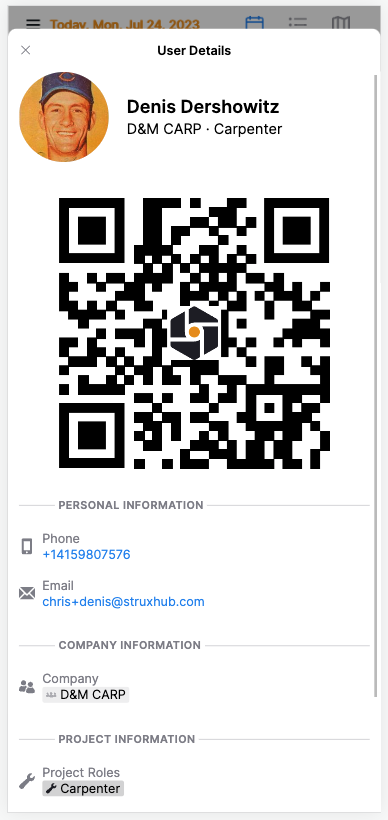
Control access to the jobsite and restricted locations on the project using scan stations
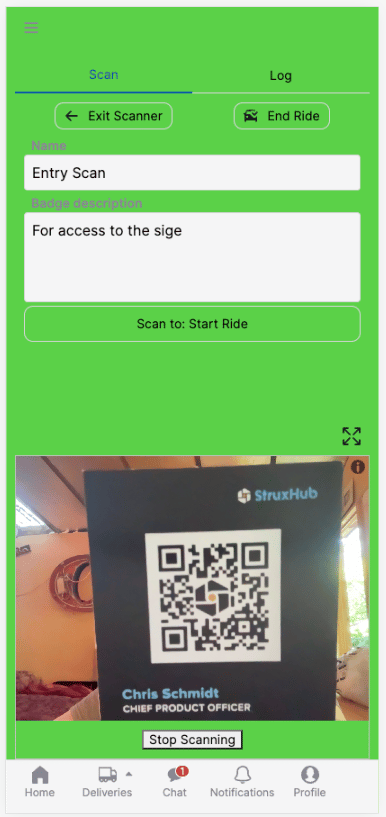
Scan stations are totally customizable to your project's needs. Gatekeepers can scan a visitor's QR code in StruxHub to see if or where they're allowed access -- or just record the user data if the area is accessible to everyone.
To make site access even easier, some customers are slapping QR code stickers on trades' safety helmets.
Retain a record of everyone that has come onsite
Unlike a paper sign-in, this feature allows you to track and store a log of every visitor to the jobsite and restricted locations in case you need it later -- so you have total visibility into who is coming and going throughout the project.
Track time in/time out of trades
Let's say you have to bus your trades in and out on the jobsite, and are required to reimburse for their travel time. This feature allows you to scan riders' codes as they get on and off, so you know exactly how much to reimburse.
FAQs
- Do I need to buy additional hardware? No additional equipment is required. It can be hooked up to scan hardware connected to an iPhone or iPad.
- When using the "timed" scan, how do I end a trip? You can either bulk end the timer for everyone, using End Ride, or you can scan users individually.
- Can I create and assign custom QR codes? Sure! You can buy or print out QR codes and assign these as additional user identifiers.
- How do I know when a visitor is scanned in? When a user scans in, the scanner flashes green (for access permitted) or red (access denied). Whether the user is granted access or not, the scan is logged.
Next on the roadmap
Our next build is going to be a big one:
- StruxHub Forms and Permits will be moving to the top-level navigation
- The Form Configurator will be able to create most form types for most jobs
- Reports and analytics will be available within StruxHub, tracking and delivering important insights into how your project is running.